What is in the workbook
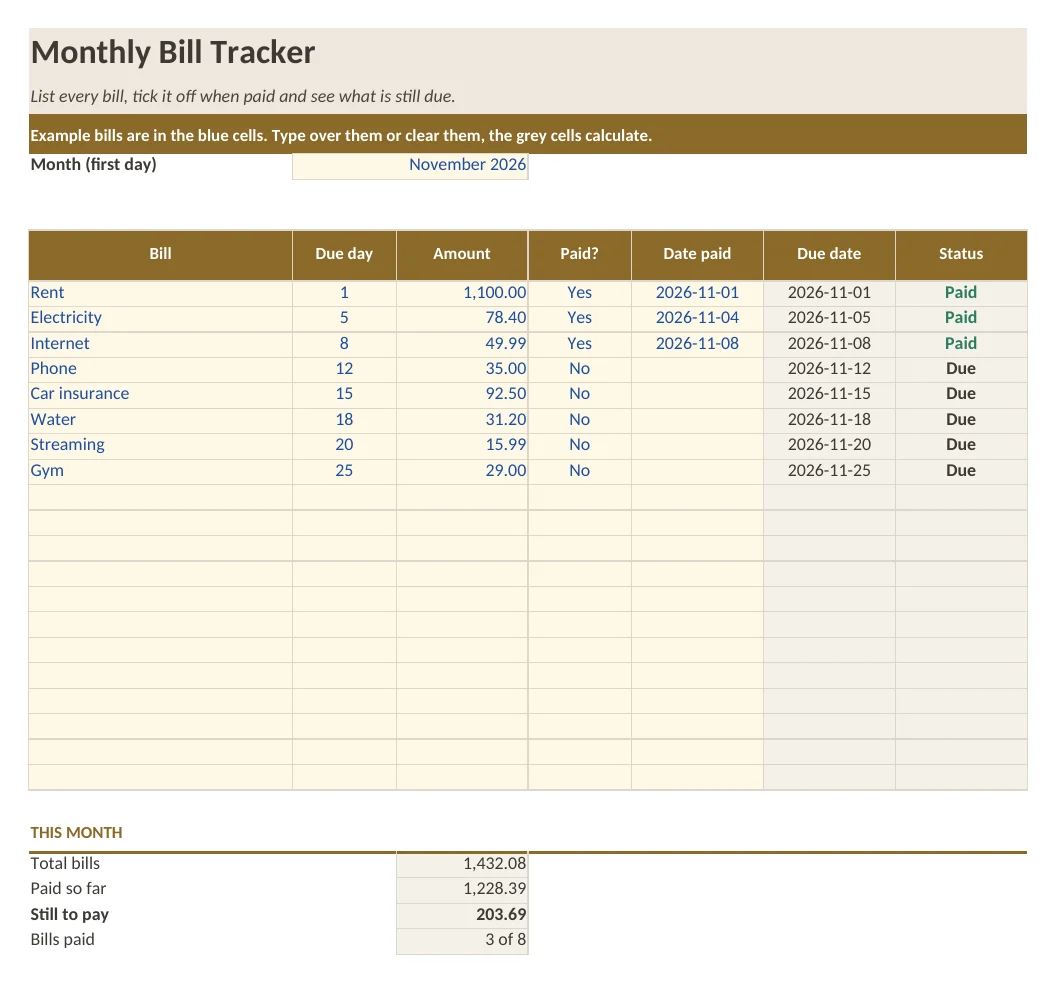
- Sheet Bill Tracker: 20 bill lines with due day, amount, paid yes or no and the date paid
- Due date, status (Paid, Due or Overdue) and totals calculated with formulas
- Sheet How to use with five short steps
- Example bills in the blue cells
What is in the print version (PDF)
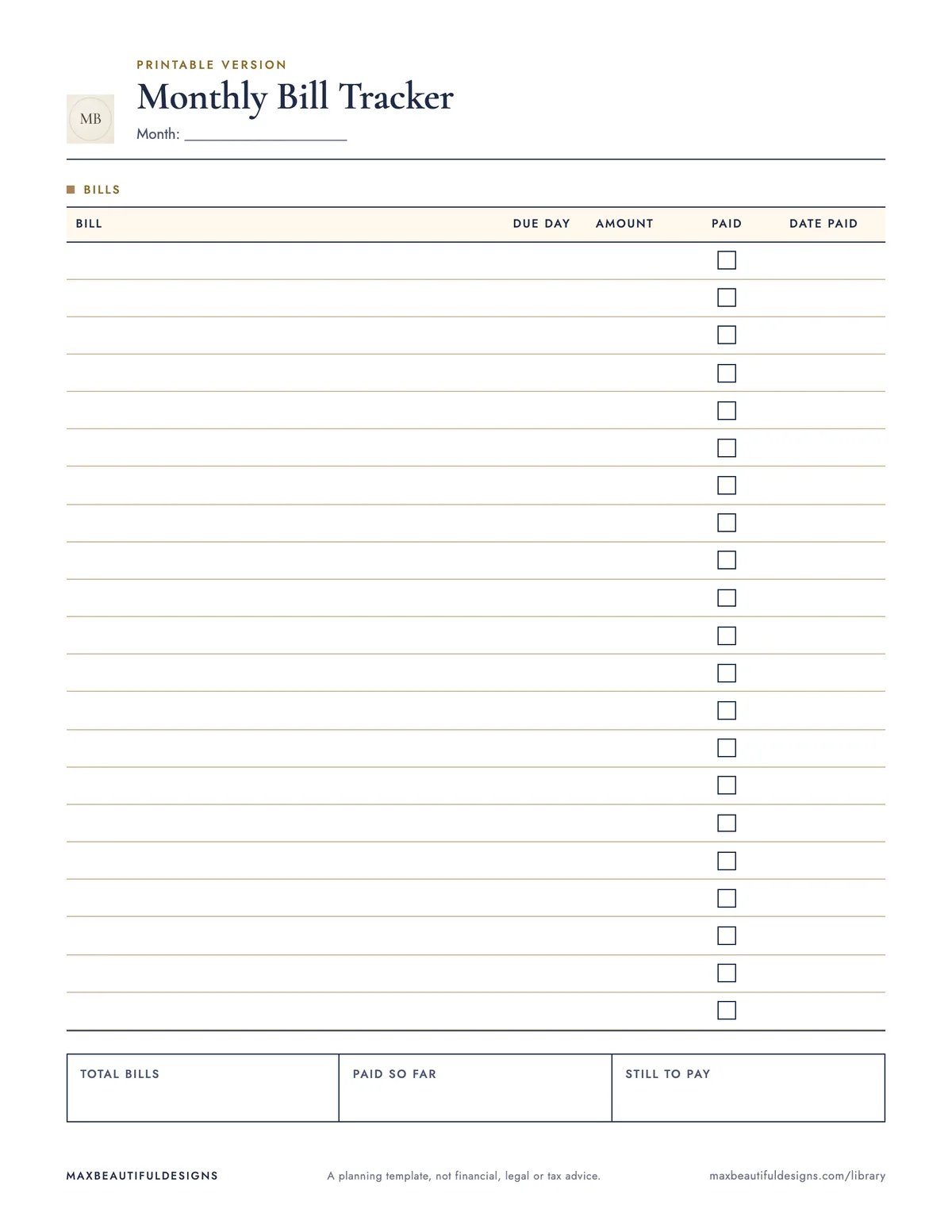
- Printable monthly bill tracker with 22 lines and totals boxes
How to use this spreadsheet
Open the workbook in Excel, Google Sheets, LibreOffice, or Apple Numbers. On the Bill Tracker sheet, enter each bill name in column A, the due day in column B, and the amount in column C. As you pay a bill, mark column D as Yes and enter the date paid in column E. The status column will automatically show Paid, Due, or Overdue based on the due day and current date. The totals at the bottom calculate what is paid and what is still due. Use the printable PDF to track bills on paper if preferred. The How to Use sheet explains the five steps to get started. The example bills in blue cells show how to fill in your own data. This tracker helps you see all monthly due dates in one place, know which bills are paid or overdue, and keep a running total of what you owe.
Tips
- At the start of each month, clear the paid and date columns from the previous month and update the due days if needed.
- Copy the Bill Tracker sheet to a new tab each month to keep a history of your payments.
- Use the printable PDF as a quick reference to check due dates without opening the spreadsheet.
Questions and answers
Does this file work on my phone?
Yes, you can open the .xlsx file in Google Sheets on your phone by uploading it from the File menu.
Can I add more than 20 bills?
The sheet has 20 bill lines. You can insert extra rows between the existing lines, but the formulas for totals may need adjusting.
Is the file safe to download?
Yes, it contains no macros or scripts, only formulas and text. It is a standard .xlsx workbook.
A planning template, not financial, legal or tax advice.