What is in the workbook
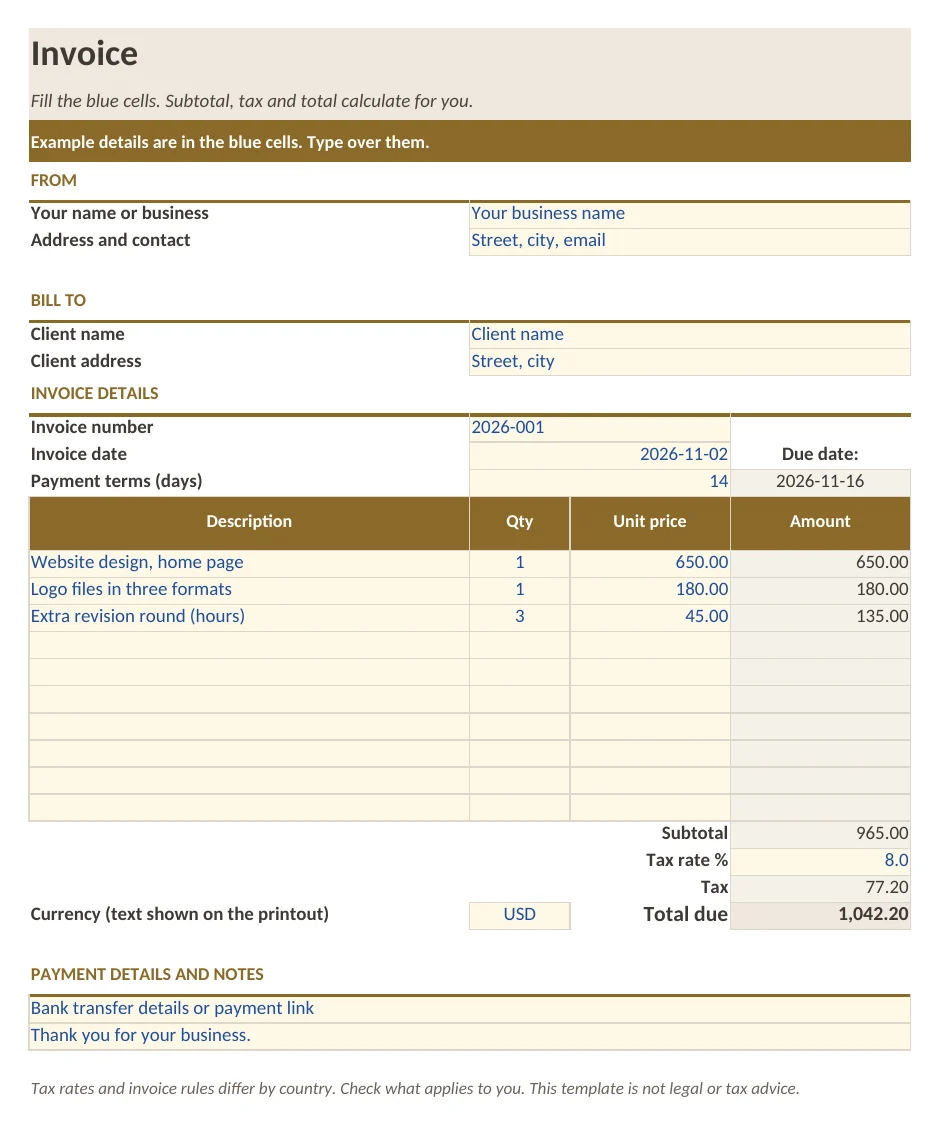
- Sheet Invoice: your details, client details, invoice number, date and payment terms with the due date calculated
- 10 line items with quantity and unit price, line amounts, subtotal, tax and total due as formulas
- Sheet How to use with five short steps
- Example lines in the blue cells
What is in the print version (PDF)
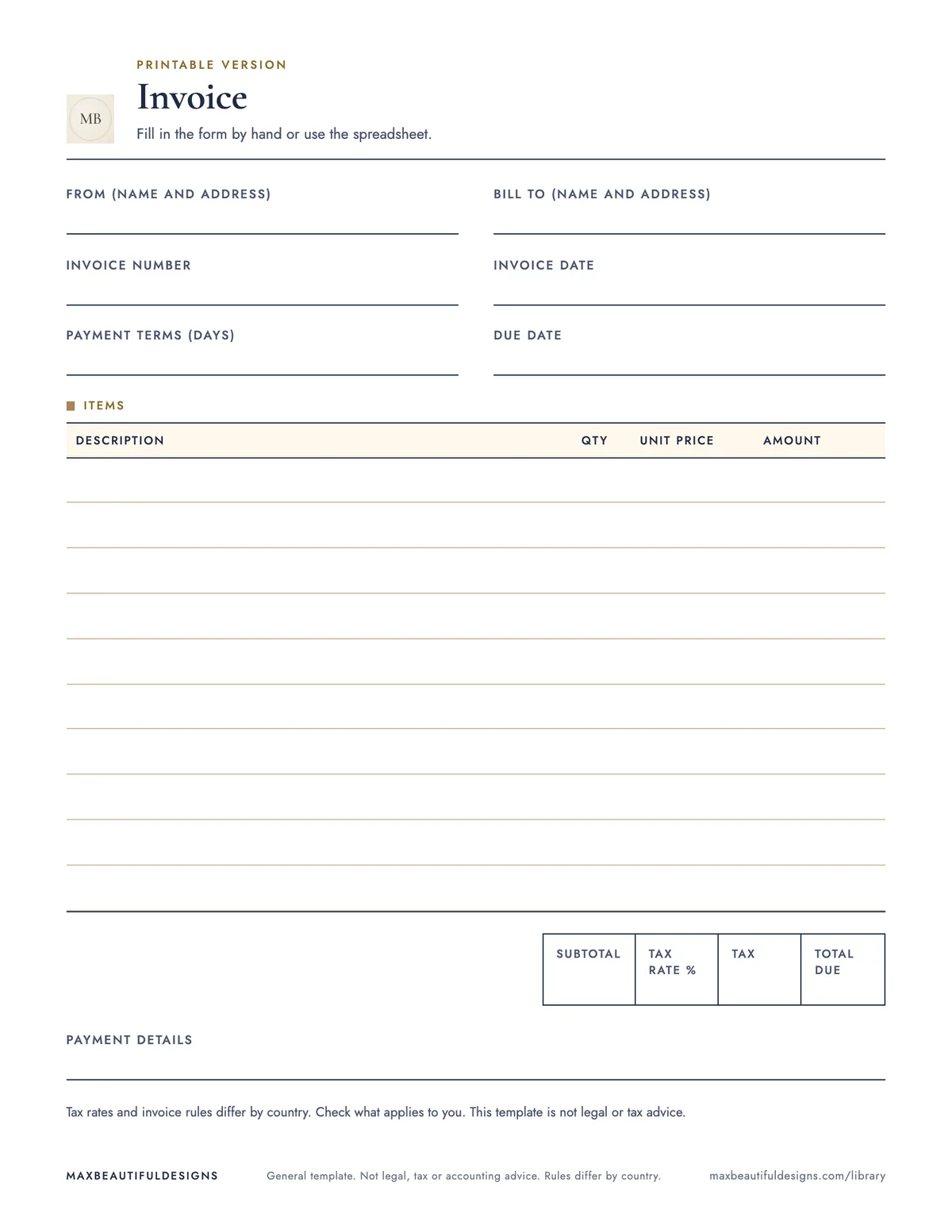
- Printable invoice form with details, 10 line items and totals
How to use this spreadsheet
Open the workbook in Excel, Google Sheets, LibreOffice, or Apple Numbers. On the Invoice sheet, enter your business name, address, and contact details in the top section. Add your client’s name and address below. Type the invoice number, date, and payment terms (for example, Net 30) in the designated cells. The due date will calculate automatically. In the line items table, enter a description for each product or service, the quantity, and the unit price. The line amount, subtotal, tax, and total due will update as you type. Adjust the tax rate in the cell provided if needed. Print the invoice from the sheet or use the included PDF. The How to use sheet has five short steps for reference. This file helps you track each invoice’s details, line items, and totals in one place, so you can send clear, professional invoices to clients.
Tips
- Save a copy of the workbook as a template. Each month, open the template, fill in new invoice details, and save with a new file name to reuse the structure.
- Update the tax rate cell only if your local rate changes. The formulas will recalculate all totals automatically.
- To keep a record, print the PDF for each invoice and store it in a folder by client name or date.
Questions and answers
Can I add more than 10 line items?
The file includes 10 line items. To add more, insert rows in the line items table and copy the formulas down.
Does the file work in Google Sheets?
Yes. In Google Sheets, go to File, Import, Upload, and select the .xlsx file. The formulas will work as expected.
Is the PDF editable?
No, the PDF is a printable copy of the sheet. To edit, use the Excel workbook and then print or export a new PDF.
General template. Not legal, tax or accounting advice. Rules differ by country.