What is in the workbook
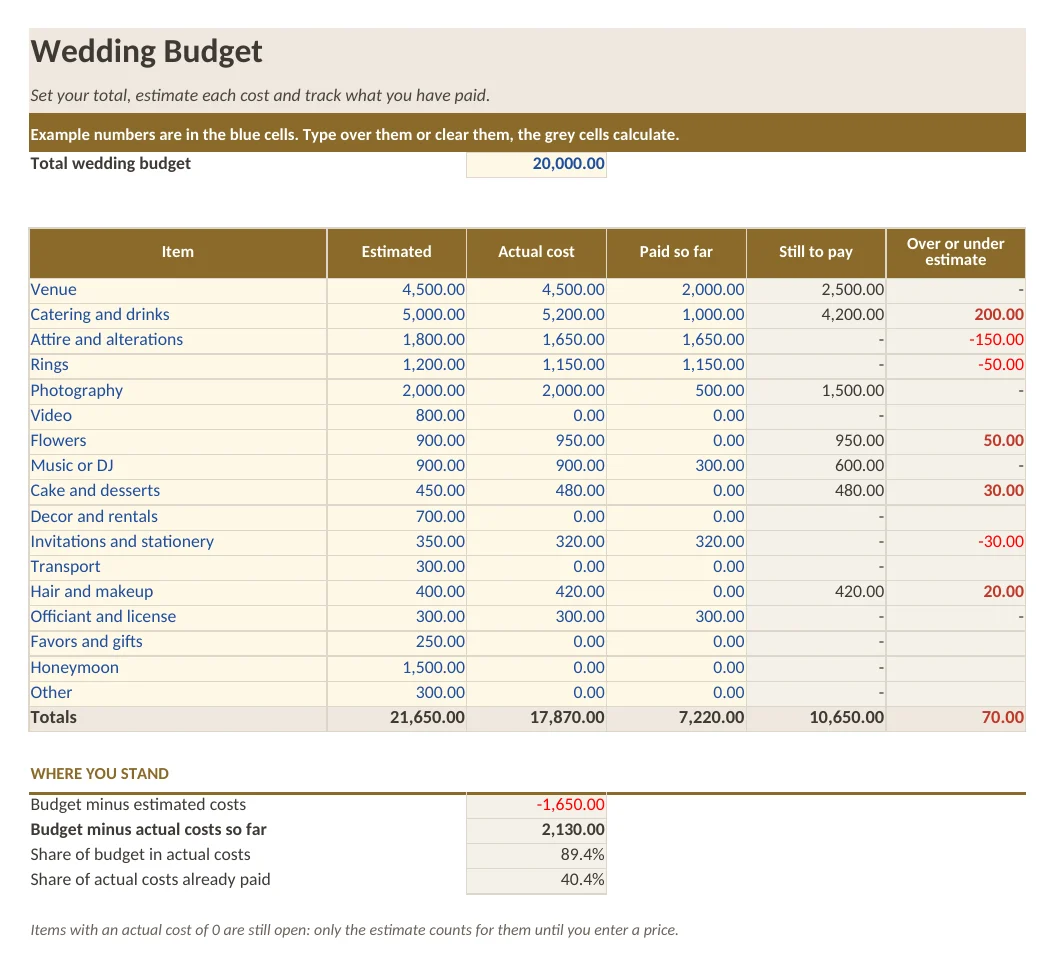
- Sheet Wedding Budget: a total budget cell and 17 items with estimated cost, actual cost and amount paid
- Still to pay, over or under estimate, budget left and the share of budget used, calculated with formulas
- Sheet How to use with five short steps
- Example numbers in the blue cells
What is in the print version (PDF)
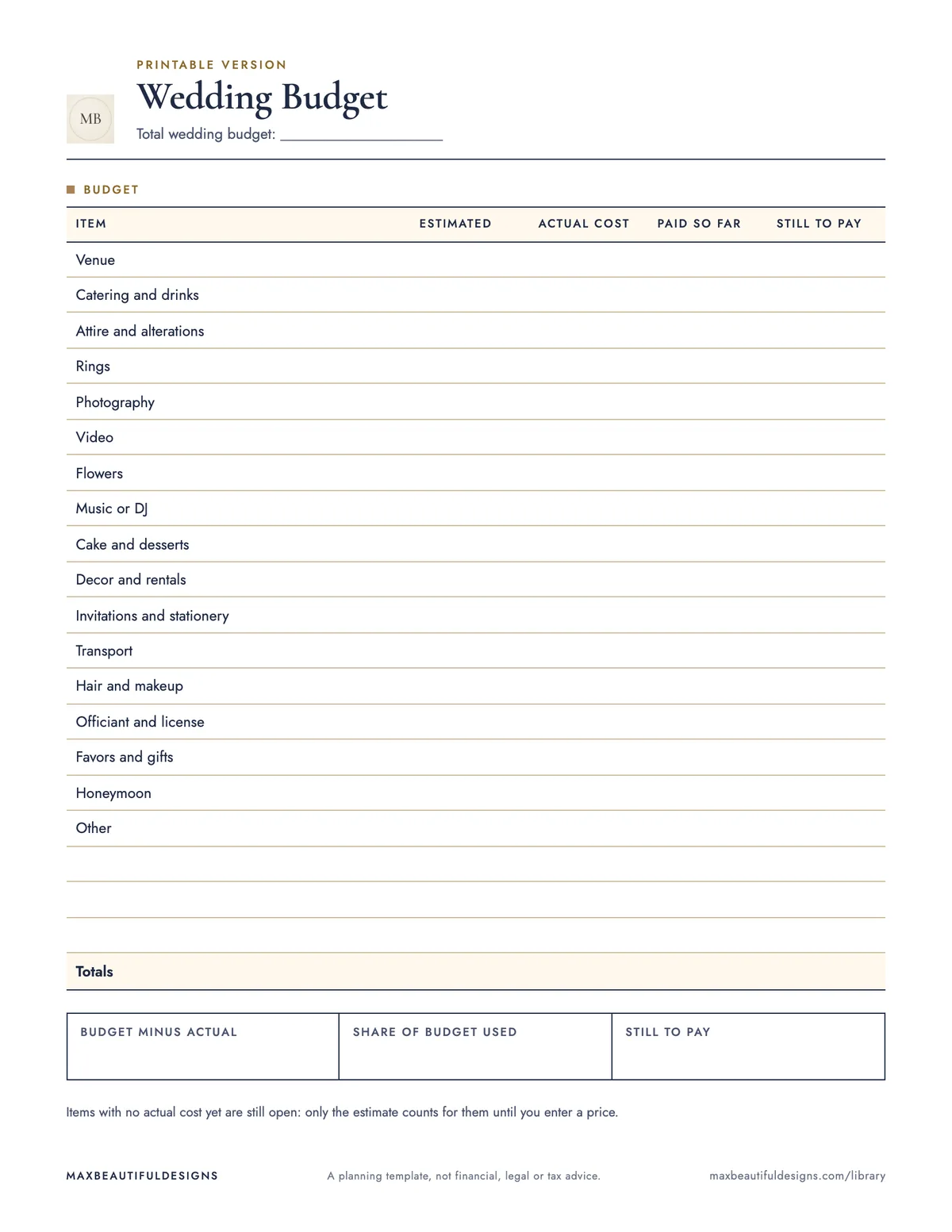
- Printable wedding budget with 17 prefilled items, 3 blank lines and totals
How to use this spreadsheet
Open the workbook in Microsoft Excel, Google Sheets (File, Import, Upload), LibreOffice, or Apple Numbers. On the Wedding Budget sheet, enter your total budget in the budget cell. For each of the 17 cost items, type the estimated cost and actual cost in the blue cells. As you pay for each item, enter the amount paid. The workbook automatically calculates still to pay, over or under estimate, budget left, and the share of budget used. Use the How to Use sheet for five short setup steps. Print the PDF version in US Letter or A4 for a paper copy. This file helps you track what you plan to spend, what you actually spend, and what remains unpaid. It shows if you are over or under your estimate and how much of your total budget is used. Update the actual cost and paid columns as you receive quotes and make payments. The formulas update instantly, so you always see your current budget status.
Tips
- Update the actual cost column as soon as you get a quote or receipt to keep the over or under estimate accurate.
- Adjust the estimated cost for any item if your plans change, and the formulas will recalculate the budget left.
- Reuse the workbook for other events by clearing the example numbers and renaming the cost items.
Questions and answers
Do I need to sign up or provide an email to download this file?
No, the download is free and requires no sign up or email.
Can I use this file in Google Sheets?
Yes, upload the .xlsx file to Google Sheets using File, Import, Upload.
Does the workbook include macros or formulas?
It has formulas but no macros, so it works in most spreadsheet apps.
A planning template, not financial, legal or tax advice.