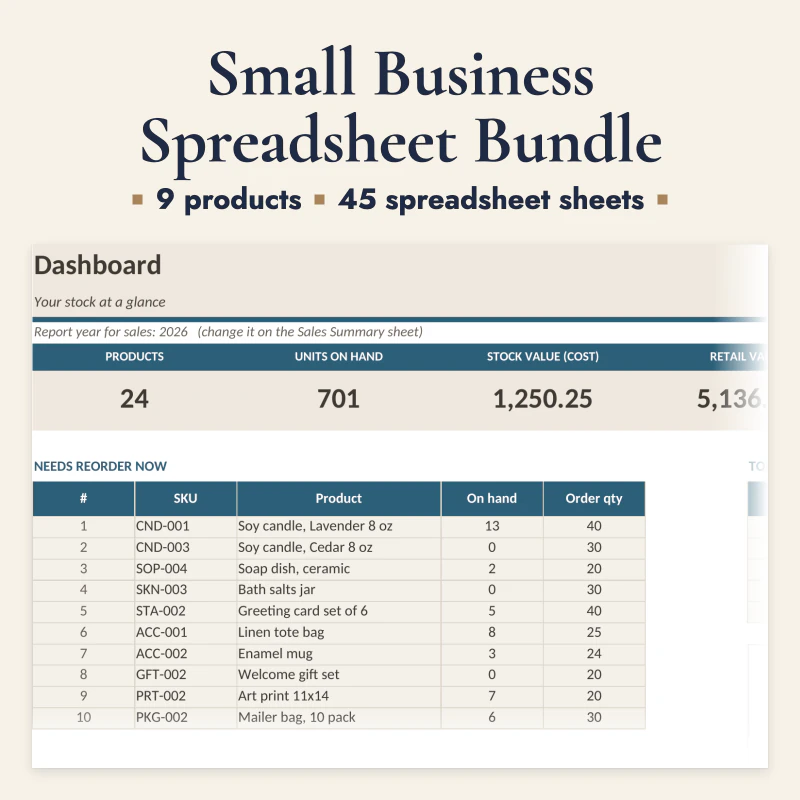
A budget usually fails for one of two reasons: it tracks too little, so the numbers never match real life, or it tracks too much, so nobody keeps it current. A printable budget spreadsheet sits in the middle. It has enough structure to show where the money goes, and it is simple enough to update in ten minutes a week.
This guide shows what to track, how to set up the pages in about 20 minutes, and how to use the same system for bills, debt, sinking funds and irregular income. It is written for a household that wants a clear monthly plan, not a second job.
What a useful budget spreadsheet needs
A budget is not a list of every coffee. It is a plan for the money that comes in, the money that has to go out, and the money you want to keep. Six page types cover almost every household:
| Page | What it answers | Why it matters |
|---|---|---|
| Monthly budget | What comes in and what goes out this month | Shows the plan before the month starts |
| Bill tracker | Which bills are due, paid or late | Stops late fees and double payments |
| Subscription tracker | What renews, when, and for how much | Finds the small costs that add up |
| Sinking funds | What irregular costs are coming | Prevents a car repair from becoming debt |
| Debt payoff | Which debt is the target and what is left | Turns a balance into a plan |
| Savings and net worth | What you keep and what you own | Shows progress beyond one month |
The pages should share the same category names. If the monthly budget says "Groceries", the bill tracker and the weekly review should use "Groceries" too. Different names for the same cost are how a budget stops matching reality.
Choose the format that fits your income
There are three common formats. They answer different questions:
- Monthly budget. One page per month with income at the top and categories below. It is the easiest to start and works well for a salary paid once or twice a month.
- Zero-based budget. Every euro or dollar gets a job before the month starts, including savings and fun money. It is stricter and very clear, but it needs a full plan at the start of each month.
- Payday budget. One page per payday. Fixed bills are split by payday, and the rest is planned until the next payment. It works for weekly or biweekly pay and for irregular income.
You can combine them. A monthly page for the overview and a payday page for the week ahead is often enough.
Paper or Excel?
Paper is faster to start and harder to ignore. A printed page on the desk or the fridge gets seen. Excel is better for formulas, charts and copying a month. A practical setup uses both: print the weekly review and the debt page, and keep the monthly totals in a spreadsheet if you like graphs.
The bundle in this shop includes both: printable PDFs and Excel spreadsheets with the same pages, in US Letter and A4.
Set it up in 20 minutes
You do not need a perfect system on day one. Use this order:
- List your income. Use the amount you can rely on, not the best month. For irregular income, use the lowest of the last three months and treat the rest as a bonus.
- List fixed bills. Rent or mortgage, utilities, insurance, phone, internet, subscriptions, loan minimums. Write the due date next to each one.
- List variable categories. Food, fuel, transport, children, health, household, eating out, fun. Start with six to eight categories, not twenty.
- Add sinking funds. Car repairs, car service, insurance, Christmas, birthdays, holidays, school costs, medical costs. Divide each yearly cost by twelve.
- Add one debt page. One row per debt with balance, interest rate, minimum payment and target. Do not mix debts into the monthly budget without a total.
- Add a subscription page. Every recurring charge, the renewal date, the amount and a decision: keep, pause or cancel.
- Pick a weekly review time. Ten minutes on the same day each week. Put it in the calendar.
That is enough for the first month. You can add a net worth page or a savings page later without rebuilding everything.
The ten-minute weekly review
A weekly review is the habit that keeps the system alive. Keep it short and use the same five questions:
| Step | Question | Action |
|---|---|---|
| 1 | What came in since last week? | Mark income on the monthly page |
| 2 | Which bills are due before the next review? | Check the bill tracker and the account balance |
| 3 | Where did the variable spending go? | Compare the total with the plan, not every receipt |
| 4 | What irregular cost is coming? | Move money to the right sinking fund |
| 5 | What is the next debt payment? | Pay the minimums and the extra on the target debt |
If a category is over, do not rebuild the whole budget. Move money from another category or from fun money. The point is to make a decision, not to feel bad about the number.
Debt payoff without guessing
Debt is where a budget becomes emotional. Two methods work:
- Avalanche: pay the highest interest rate first. It costs the least overall and is the rational choice if you can stay motivated.
- Snowball: pay the smallest balance first. It gives a quick win and can be easier to keep going.
Both methods use the same rule: pay the minimum on every debt, then put all extra money on one target. When the target is gone, move its payment to the next debt. That is the snowball.
A debt page should show the starting balance, the current balance, the interest rate, the minimum and the extra payment. A simple progress line or a row of boxes is enough. The number that matters is the remaining balance, not a decorative gauge.
If you have several debts, list them in payoff order and write the date you want to be done. A date makes the plan real. If the date is unrealistic, change the extra payment, not the honesty of the page.
Sinking funds for costs that are not monthly
Most budget failures come from costs that are predictable but not monthly: car repairs, insurance, Christmas, birthdays, holidays, school supplies, medical bills. A sinking fund turns a future shock into a small monthly amount.
Examples:
| Cost | Yearly amount | Monthly sinking fund |
|---|---|---|
| Car service and repairs | 900 | 75 |
| Insurance | 600 | 50 |
| Christmas and gifts | 600 | 50 |
| Birthdays | 300 | 25 |
| Holiday travel | 1,200 | 100 |
Use the real numbers for your household. If the yearly amount is unknown, start with a guess and correct it after the first bill. A sinking fund with a wrong number is still better than no fund.
Keep the money separate from the spending account if you can. A second savings account or a clearly labeled envelope makes it harder to spend by accident.
When income is irregular
Freelancers, seasonal workers and commission earners need a different rhythm. Use a baseline and a buffer:
- Find the lowest reliable monthly income from the last six to twelve months.
- Build the fixed budget on that baseline.
- Put everything above the baseline into a buffer until you have one month of fixed costs saved.
- After the buffer, split extra income between debt, sinking funds and fun.
The budget page should have a line for "extra income" so a good month does not disappear without a decision.
What is inside the Budget Spreadsheet Bundle
The bundle in this shop is built around the pages above. It has eight products and 168 printable pages, plus Excel versions:
- A monthly budget spreadsheet with income, fixed bills and variable categories.
- A bill payment tracker and a subscription tracker.
- A sinking funds tracker for irregular costs.
- A debt payoff tracker with a snowball and an avalanche page.
- A savings and net worth page.
- A hyperlinked digital planner for a tablet.
- A README that explains which page to start with.
The price is 9.99 EUR, one time, with the files in US Letter and A4. You can print the pages or type into the Excel versions. There is no subscription and no app to install.
See the Budget Spreadsheet Bundle
A simple first month
If you want to start today, do this:
- Print the monthly budget, the bill tracker and one sinking fund page.
- Fill in income, fixed bills and six variable categories.
- Add three sinking funds: car, gifts and one irregular bill.
- Put the weekly review in your calendar for Sunday evening or Monday morning.
- After four weeks, look at the totals and change one thing, not everything.
A budget that survives is boring, visible and short. The pages are there to help you make a decision each week, not to record every purchase perfectly.
Frequently asked questions
What should a printable budget spreadsheet include?
At minimum: income, fixed monthly bills, variable spending, and a sinking fund for irregular costs. Add a debt payoff page, a subscription list and a net worth page if you want the full picture. The pages should work together without copying numbers twice.
Is a printable budget better than an Excel budget?
Neither is better in general. Paper is faster to start and harder to ignore, which helps with a weekly review. Excel is better for formulas, graphs and multiple months. The best choice is the one you will update every week.
How long does it take to set up a budget spreadsheet?
About 20 minutes for the first setup: list your income, your fixed bills, your variable categories and your irregular costs. The weekly review then takes about ten minutes. A full redesign every month is not needed.
What is a sinking fund?
A sinking fund is money set aside each month for a known but irregular cost, such as car repairs, insurance, Christmas or a holiday. Divide the yearly cost by twelve and move that amount into the fund every month.
Should I use the debt snowball or the debt avalanche?
The avalanche pays the highest interest rate first and costs less overall. The snowball pays the smallest balance first and gives faster wins. Both work when you keep the minimum payments on every debt and put the extra money on one target.
How often should I update a budget?
Once a week is enough for most households. A ten-minute review catches bills that changed, spending that drifted and money that needs to move to a sinking fund. Daily tracking is optional and often leads to giving up.